

SKILL.md files) loaded by the agent to give it reusable, named instructions for a task. The Skills page lets you browse every skill registered in your workspace, upload new ones, and share an existing skill with more datasets. Open it from the sidebar, where it is nested under Datasets — the entry unfolds while you are inside the Datasets subtree or on the page itself.
Skills are scoped to datasets — a skill is attached to one or more datasets, and the same skill can be copied into additional datasets.
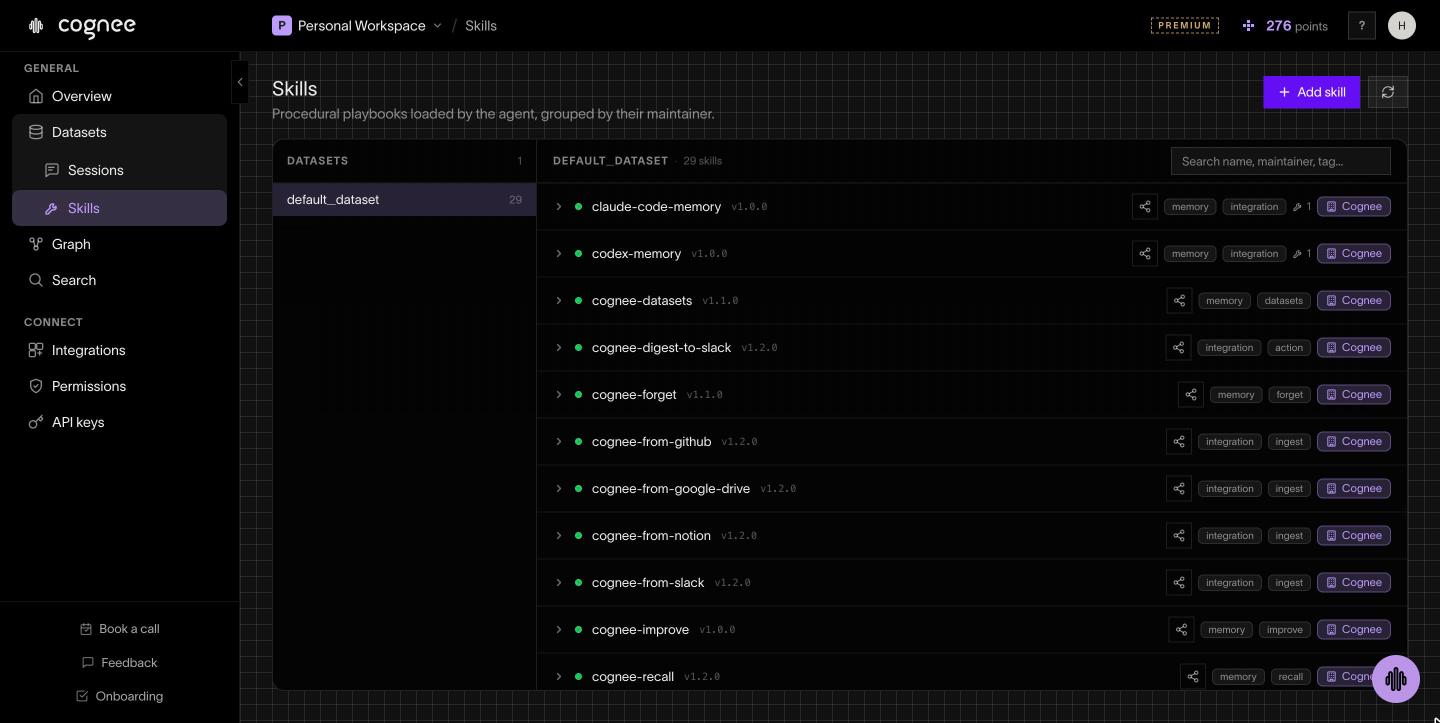
Skills grouped by dataset, each with its version, tags, maintainer and a share button
Browse skills
The page is a two-column browser:- Datasets (left) — every dataset that has at least one skill registered. Datasets without skills are hidden. Select a dataset to see its skills.
- Skills (right) — the skills registered in the selected dataset, grouped by their maintainer.
Skill detail
Click a skill row to expand it. The detail view shows:- Description and metadata — maintainer (linked to its homepage or repository when a URL is provided), version, license, source repository, and the number of datasets the skill is attached to.
- Declared tools — the tools the skill is allowed to invoke.
- Skill content — the full skill instruction body, fetched on demand when you expand the row.
Can’t read a skill? Click its row on this page to expand it; the body loads under Skill content. No content body for this skill. means the skill has no body or it could not be loaded: collapse the row and expand it again to retry. Skills follow dataset access: you see and read the skills of datasets you can read in the active workspace, so a skill in a dataset you cannot read does not appear here.
Add a skill
Click Add skill (enabled once you have at least one dataset) to open Add a skill:- Enter a Skill name (placeholder e.g. Weather lookup). The name is slugified into the ingestion path, so Weather lookup becomes
weather-lookup/SKILL.md. - Provide the Skill content: Upload a SKILL.md file, or paste the skill markdown directly.
- Select one or more datasets to attach the skill to.
- Submit. The result is reported per dataset, so you can see which datasets the skill was added to successfully.
Share a skill with more datasets
Each skill row has a share control (“Add this skill to more datasets”). It opens a dialog listing the datasets the skill is not yet attached to. Select one or more destination datasets to copy the skill into them; the outcome is reported per dataset.Skills are ingested through the same path as the
content_type: "skills" option of the ingestion API — see Data Ingestion.